Nexa Browser
Fast. Private. Yours. Chromium speed with the ads and trackers left out.
A clean, powerful browser for your computer and your phone — built-in ad & tracker blocker, Chrome Web Store extensions on desktop, split view and private windows. Free, for everyone.
The web, minus the noise.
Everything a modern browser should do — and nothing it shouldn’t.
Passwords, bookmarks, history, downloads, speed dial, dark & light, English & বাংলা and automatic updates.
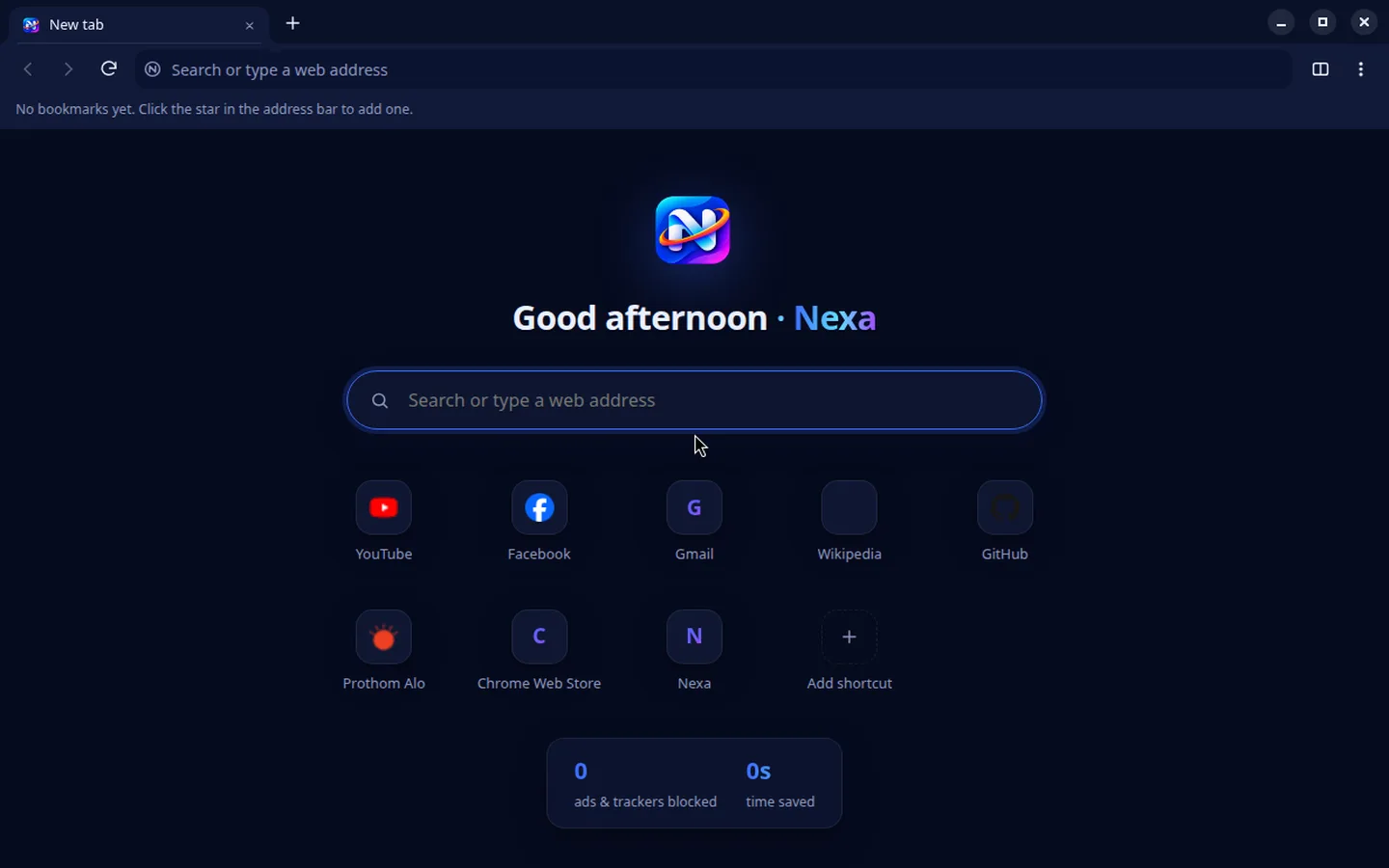
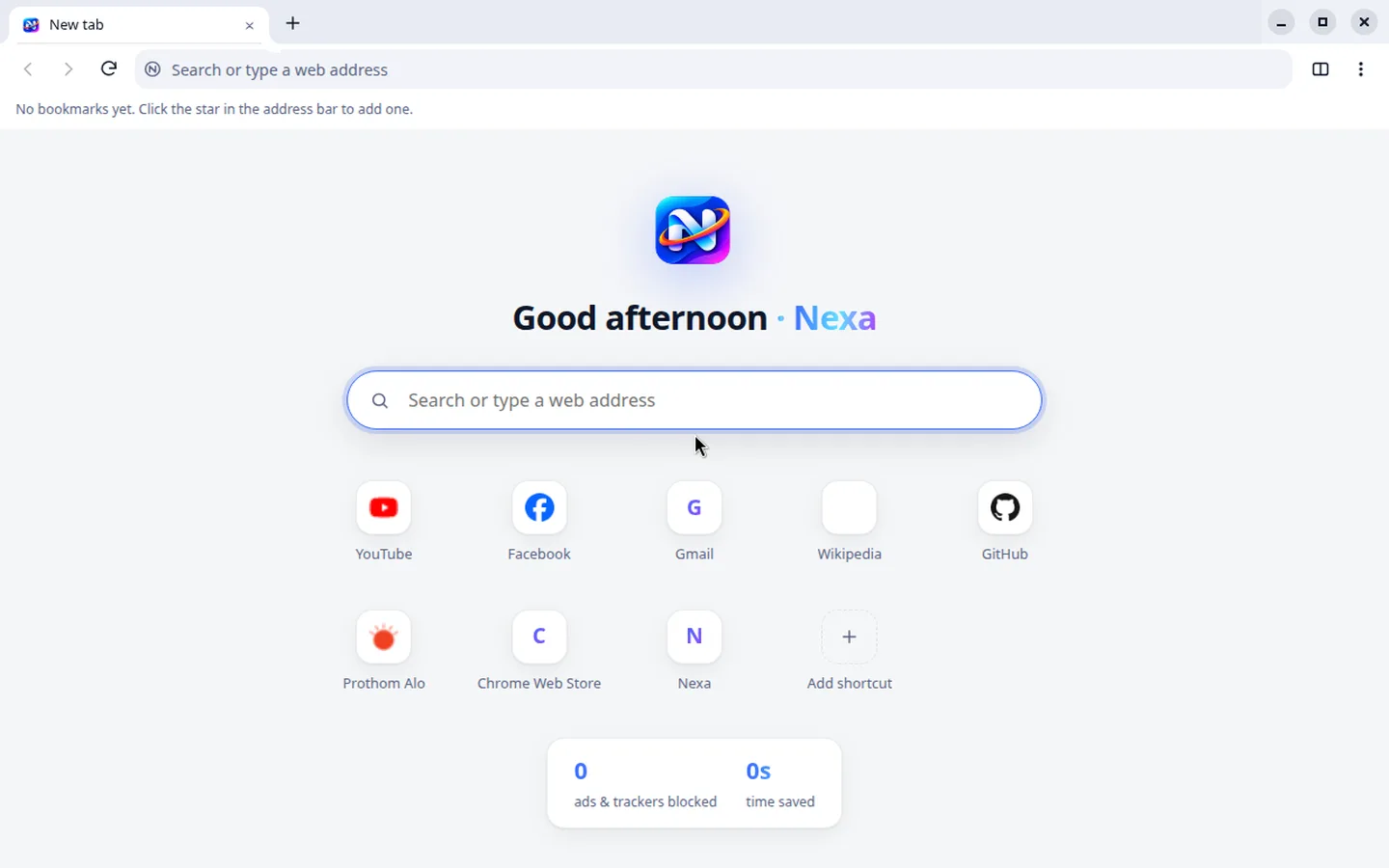
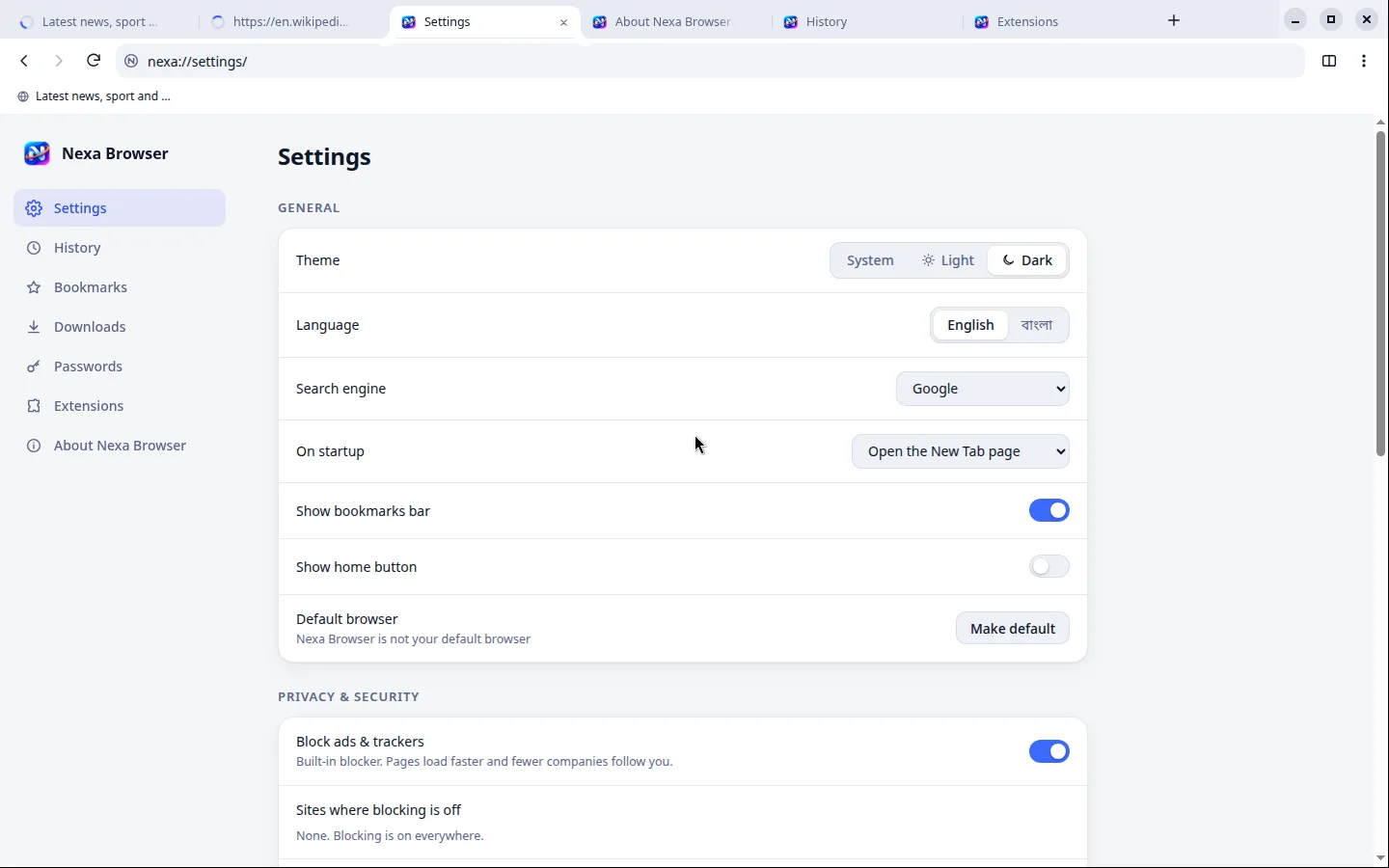
Looks good in dark and light
Real screens from Nexa Browser on a computer and on Android.
Ready in 3 steps
No account, no setup — install and browse.
Download
Open this page on your computer or phone — the right file for your device is picked for you. Or choose it yourself in All downloads.
Install
Windows, Mac and Android may show a one-time warning for apps from outside a store — here is what to tap.
Browse
Pick your search engine and theme, and you’re done. Ads and trackers are already blocked.
Everything built in
One browser for your computer and your phone — every feature free, for every user.
Fast, like it should be
Real Chromium inside.
- Built on Chromium, the open-source engine behind the fastest browsers
- Modern websites, video and web apps just work
- Find in page, zoom and full screen for reading and video
Ad & tracker blocker
Built in, on by default.
- Blocks ads and trackers on every site
- One tap turns it off for a site you want to support
- On every platform — Windows, Mac, Linux and Android
Chrome extensions
On Windows, Mac and Linux.
- Add extensions straight from the Chrome Web Store
- Most extensions work as in Chrome
- Android uses the built-in blocker instead
Tabs & split view
Do two things at once.
- Fast tabs with a clean tab bar
- Split view on the computer: two pages side by side
- New-tab page with your speed dial
Private windows
Leave no trace.
- Private windows on the computer, private tabs on Android
- No history, cookies or form data kept after you close them
Passwords
Saved safely on your device.
- Offers to save passwords when you sign in
- Fills them in for you next time
- Encrypted on your device — never sent to any server
Bookmarks, history & downloads
All in one place.
- Bookmarks and a searchable history
- A downloads list with open and show-in-folder
- Everything stays on your device
Your search engine
Your choice.
- Google (default), Bing, DuckDuckGo, Brave or Yahoo
- Search right from the address bar
Dark & light
Easy on the eyes.
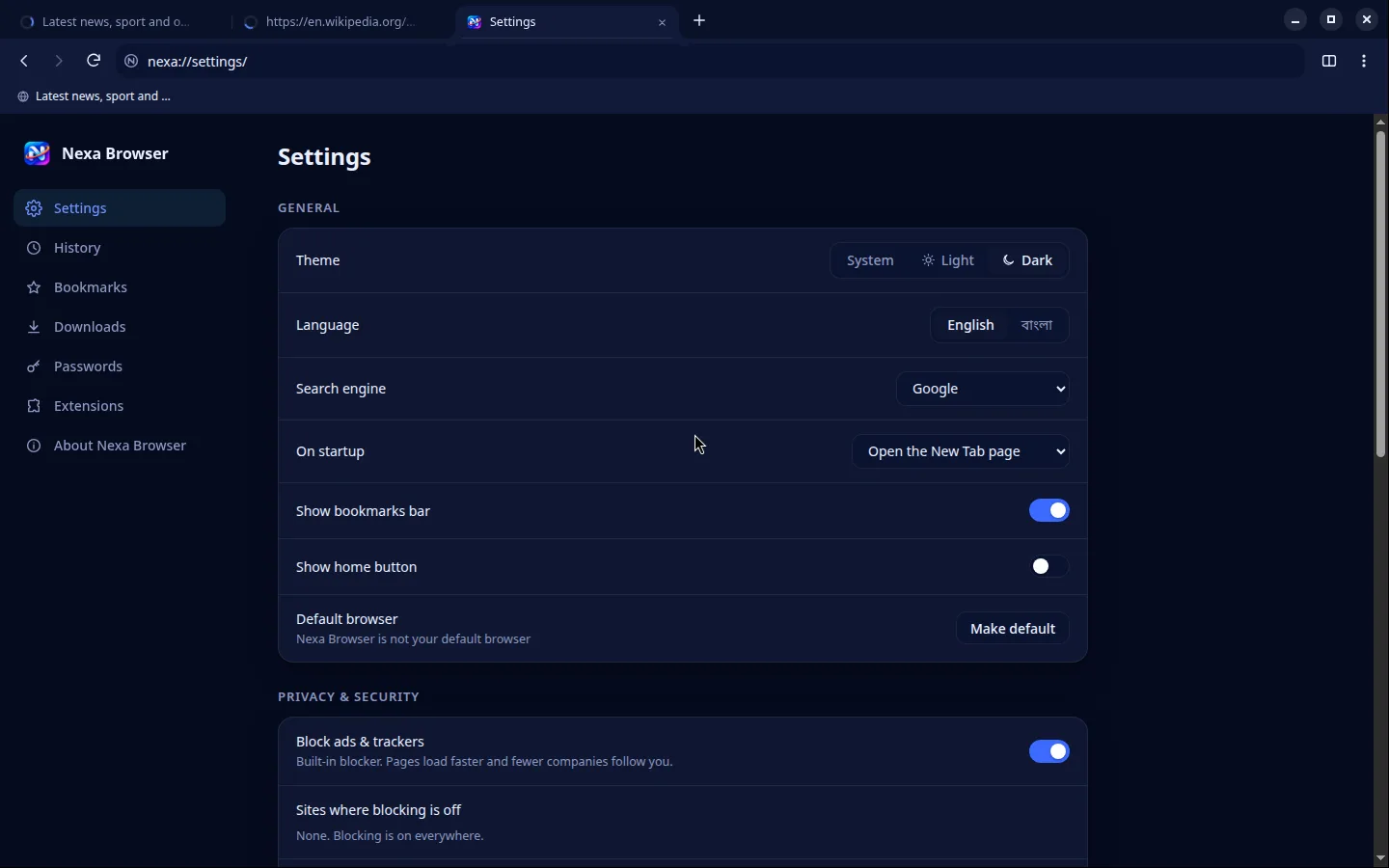
- Dark, light, or follow your system
- Clean, modern design in the Nexa colours
English & বাংলা
Your language.
- English interface by default
- Switch the whole browser to Bengali (বাংলা) in Settings
Updates itself
Always the newest version.
- Checks for new versions by itself
- Shows what’s new after an update
- Or download any time from this website
What Nexa Browser leaves out
Some things a browser simply doesn’t need.
Get Nexa Browser
Free for Windows, Mac, Linux and Android. The first release is on its way — the buttons below turn on as soon as it’s out.
Windows
Windows 10 or Windows 11, 64-bit. Not for Windows 7, 8 or 8.1, or 32-bit Windows.
Mac
Pick your chip: Apple Silicon for every M-series Mac, Intel for older Macs. Not sure? Apple menu › About This Mac.
Linux
64-bit (x86_64). AppImage runs on any distribution; .deb for Ubuntu, Debian and Mint; .rpm for Fedora and openSUSE.
Android
Android 8.0 (Oreo) or newer, phones and tablets. Installed from this website as an APK.
How to install
Windows 10 / 11
- Click Installer (.exe) above. The file ends in
-windows-x64-setup.exe. - Open it. If Windows shows “Windows protected your PC”, click More info and then Run anyway.
Nexa Browser is new and is not signed with a paid code-signing certificate, so Windows calls it an “Unknown publisher”. That is the only reason for the warning. - Finish the installer and open Nexa Browser from the Start menu.
Mac (Apple Silicon or Intel)
- Download the
.dmgfor your chip and open it. - Drag Nexa Browser into Applications.
- The first time, macOS may say the app is from an unidentified developer or that it can’t check it. Open System Settings › Privacy & Security, scroll down and click Open Anyway, then confirm with Open.
On older macOS: right-click Nexa Browser in Applications, choose Open, then Open again. You only do this once.
Linux
- AppImage (any distribution): download it, make it executable with
chmod +x Nexa-Browser-*.AppImageand run it. - Ubuntu, Debian, Mint:
sudo apt install ./Nexa-Browser-*-linux-amd64.deb - Fedora, openSUSE:
sudo dnf install ./Nexa-Browser-*-linux-x86_64.rpm
Android
- On your phone, open nexabrowser.pages.dev and tap APK. If the browser asks whether to keep the file, tap Download anyway.
- Open the downloaded file. Android says installs from this source aren’t allowed: tap Settings and switch on Allow from this source (“Install unknown apps”).
You can find it later in Settings › Apps › Special app access › Install unknown apps. - Go back and tap Install. If Google Play Protect shows a warning for a new app, tap More details › Install anyway.
Updating to a new version
- Nexa Browser checks for updates itself and tells you when a new version is out — tap Update.
- Or download the new version from this page and install it over the old one. Your bookmarks, passwords and settings stay on your device.
Questions
Short answers to the common ones.
Is it really free?
Yes. No ads, no paywall, no premium tier. Every feature is free for everyone.
Do Chrome extensions work?
On Windows, Mac and Linux, yes: open the Chrome Web Store in Nexa Browser and add extensions from there. Most extensions work; a few that depend on Google’s own services may not. On Android there are no extensions — the built-in ad & tracker blocker does that job.
Do I need an account?
No. There is no sign-in and no Google sync. Your bookmarks, history and passwords stay on your device.
Windows says “Windows protected your PC” or “Unknown publisher”.
That is Microsoft SmartScreen. It warns about new apps that aren’t signed with a paid code-signing certificate — Nexa Browser isn’t, because that certificate costs money every year. Click More info › Run anyway. The “Unknown publisher” label stays, but the app is the same file published on this website.
Mac says the app is from an unidentified developer.
macOS shows this for apps that aren’t notarised by Apple. Open System Settings › Privacy & Security, scroll down and click Open Anyway (or right-click the app in Applications and choose Open). You only do this once.
Android won’t install it / Play Protect warns me.
That is normal for apps from outside the Play Store. Allow Install unknown apps for your browser or Files app once, then tap Install. If Play Protect warns, tap More details › Install anyway.
Which devices does it run on?
Windows 10 or 11 (64-bit), any Mac with Apple Silicon or Intel, 64-bit Linux, and Android 8.0 or newer. There is no iPhone or iPad version, and it doesn’t run on Windows 7, 8, 8.1 or 32-bit Windows.
Can I change the search engine?
Yes — Google, Bing, DuckDuckGo, Brave or Yahoo. Google is the default; switch any time in Settings.
Is it in Bengali?
Yes. The browser is in English by default, and you can switch the whole interface to বাংলা (Bengali) in Settings.
How do updates work?
Nexa Browser checks for a new version by itself and shows it inside the app. You can also download the newest version from this website at any time.
Is Nexa Browser made by Google?
No. Nexa Browser is an independent browser by Md. Rakib Hossain, built on the open-source Chromium project. It is not made by, endorsed by or affiliated with Google.
Privacy first
Where you go online is nobody’s business.
- No account, no Google sync, no ads. Ads and trackers are blocked by default.
- Bookmarks, history, downloads and settings stay on your device. Saved passwords are encrypted on your device.
- Private windows keep no history, cookies or form data after you close them.
- The app sends only an anonymous usage count, at most once an hour: a random install ID, the app version, the system (Windows, Mac, Linux or Android) and its version, the chip type (arm64 or x64) and the app language. The country is worked out by the server from the connection — your IP address is not stored. It never includes the pages you visit.
- This website has no ads, no trackers and no cookies.
Support the developer
Nexa Browser is free, with no ads — and it always will be. If it helps you, a small gift keeps it growing.